Home Blog Page 36

How to check your NHIF status via SMS?

How to check your NHIF status via SMS?

How to check your NHIF status via SMS? NHIF FAQ

How to check your NHIF status via SMS?

To retrieve your NHIF details or check your status, there are various methods you can use. You can send a text message in the format [ID {space} Your ID Number], for example, (ID 12345678) to 1550. Alternatively, you can dial *155# or use the ‘My NHIF’ app which is available for download on Google Play or App Store. Another option is to access the NHIF Selfcare Platform.

NHIF Selfcare Platform

How do I sign up for NHIF Supa cover?

Registering yourself is straightforward; simply dial *155# or visit the NHIF website at www.nhif.or.ke.

How long does New NHIF Card take to be active?

Upon completing the registration process, your card will become active after a two-month waiting period. To ensure activation, make sure to promptly submit your first three months’ payments right after registration.

Is it possible to have my Girlfriend or Boyfriend added as a Spouse on my Nhif card?

No, you can only add a spouse to your account by providing a marriage certificate or an affidavit as proof of your relationship.


How can I add a newborn to my NHIF card?

Please complete an amendment form at any of our nationwide branches and attach the following: i) Copies of birth certificates for children over six months old or a copy of the birth notification for children aged six months or younger.

How do I contact the NHIF head office?

The National Hospital Insurance Fund (NHIF) is a social health insurance provider in Kenya. To contact NHIF, you can use the following options:

  1. Phone: You can reach NHIF by calling out Toll-Free line 0800 720 601, You can call their customer care hotline at +254 (0)20 271 4793 / +254 (0)20 272 3247.
  2. Email: You can send an email to customercare@nhif.or.ke for general inquiries, or to specific departments using their respective email addresses. Complaints: complaints@nhif.or.ke  Liaise: info@nhif.or.ke
  3. Website: Visit their website at http://www.nhif.or.ke for more information and access to e-services.
  4. Social media: NHIF is also active on social media platforms. You can reach out to them through their official Twitter account (@nhifkenya) or their Facebook page (https://www.facebook.com/nhifkenya/).
  5. Physical office: You can visit one of their branch offices or Huduma Centers located across the country. The NHIF headquarters is located at NHIF Building, Ragati Road, Upper Hill, Nairobi, Kenya.

Remember that their working hours are usually from Monday to Friday, 8:00 AM to 5:00 PM (East African Time).

 

Paying NHIF penalties via M-Pesa : A Step-by-Step Guide

NHIF penalties via M-Pesa

Paying NHIF penalties via M-Pesa: Understanding Late Payments and Penalties

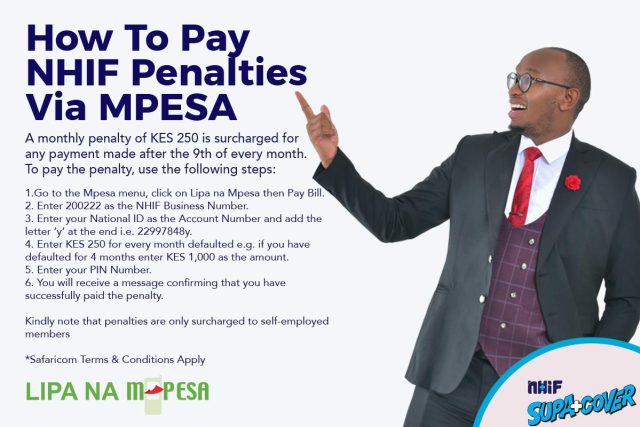
The process of paying NHIF penalties via M-Pesa is crucial to address comprehensively. NHIF operates under the Ministry of Health’s directive, and members are required to make monthly payments by the 9th of each month. Any payment made after this date is considered late and incurs penalties.

NHIF Late Payment Penalties:

Penalties for late payments vary for individuals in the formal and informal sectors. For those in the formal sector, the penalty is equal to the amount of their regular contribution, meaning they will pay double the usual amount. For self-employed individuals, a 50% penalty charge is applied for late payments. For example, if you contribute Ksh. 500 per month, your late payment would be Ksh. 750.

How do I pay my NHIF penalty for late payment?

Here’s how to pay NHIF penalties via M-Pesa:

  1. Open M-Pesa: Access the M-Pesa menu on your mobile phone.
  2. Select Lipa na M-Pesa: Choose the “Lipa na M-Pesa” option.
  3. Choose Pay Bill: Select the “Pay Bill” option from the available choices.
  4. Enter Business Number: Input the NHIF Pay Bill number, which is 200222.
  5. Enter Account Number: Provide your National ID number, followed by the letter “Y” for penalty payments (e.g., 12345678Y).
  6. Input Amount: Enter the penalty amount you need to pay, including the 50% penalty charge for self-employed individuals or the full amount for formal sector members.
  7. Enter M-Pesa PIN: Input your M-Pesa PIN to authorize the transaction.
  8. Confirm Payment: Review the transaction details and confirm your payment.
  9. Receive Confirmation: You will receive an M-Pesa confirmation message, which serves as proof of your penalty payment.

To avoid penalties, ensure that you make your NHIF payments on time each month.

NHIF Self-Care Portal: Access and Manage Your Nhif Account Online

NHIF Self-Care Portal

NHIF Self-Care Portal: Access and Manage Your Nhif Account Online

The National Hospital Insurance Fund (NHIF) provides an online platform for members to easily access information about their account status and services. By using the NHIF self-care website (www.nhif.or.ke), you can avoid the inconvenience of long queues at NHIF offices. Follow these step-by-step instructions to check your NHIF status online:

  1. Access the NHIF Online Portal: Visit the official NHIF website.
  2. Register or Sign In: If you’re a new user, sign up to access the self-service portal. If you’re already registered, log in to your account.
  3. Enter Your Details: For new registrations, provide your NHIF card number, email address, and an active phone number. You’ll receive an SMS containing a One-Time Password (OTP), valid for 24 hours.
  4. Create a Password: Use the OTP to create a secure password for accessing the NHIF self-service portal. If you ever forget your password, you can reset it using your email address.
  5. Check Your NHIF Contribution Status: Once logged in, you can view your recent contributions, defaulted months, and account activation.
  6. Log Out: After reviewing your account, remember to log out to protect your personal information.

Check Your NHIF Status via SMS:

Open your phone’s messaging app and compose a new SMS.

Type “ID,” followed by a space, then your ID or passport number (e.g., ID 46464646).

Send the message to 21101.

You’ll receive a text message with your NHIF account status shortly.

Please note that this service costs Ksh.10 and is available for Safaricom and Airtel customers.

Check Your NHIF Status via Email:

Alternatively, you can check your NHIF status by emailing customercare@nhif.or.ke. Keep in mind that this method may take longer, as a customer service representative will need to manually retrieve your information and send it back to you as a PDF statement.

In Summary:

These methods make it easy and convenient for you to check your NHIF payments, status, and arrears from the comfort of your home. By understanding these steps, you no longer need to visit an NHIF office to obtain your statement, saving you valuable time.

NHIF Self-Care Portal: Access and Manage Your Nhif Account Online

National hospital insurance fund portal

How do I apply for a NHIF card?

How do I access NHIF service on my phone?

The NHIF provides a convenient USSD code for members to access a range of self-care services. New members can simply dial *155# on any phone, free of charge, to register as an NHIF member.

Register for NHIF Online: A Step-by-Step Guide for Self-Employed Individuals

Follow these steps to register for NHIF online as a self-employed person:

  1. Visit the NHIF Registration Portal: Navigate to the official registration page.
  2. Select Self-Employed: Click on the “Self Employed” option to begin.
  3. Provide Identification: Enter your National ID, Passport, or Alien ID.
  4. Complete the Form: Fill out all the required fields with your personal information.
  5. Attach ID or Passport: Upload a scanned copy of your identification document.
  6. Upload a Passport-sized Photo: Provide a recent, clear photo of yourself.
  7. Include Marriage Certificate (if applicable): If you are married, attach a copy of your marriage certificate.
  8. Confirm and Submit: Review your information for accuracy, then click “Confirm” to submit your application. If all details are correct, your application will be successfully submitted.

Can I use my NHIF immediately?

After registering for NHIF, there is a 60-day waiting period before you can begin using your benefits. However, contributions commence right away. The card will mature after the 60-day period, and you should make your initial payment upon registration.

How much is the NHIF penalty?

NHIF Late Payment Penalties for Self-Employed Members

For self-employed individuals, late payments to NHIF result in a 50% penalty charge. For instance, if your regular monthly contribution is Ksh. 500, you will be required to pay Ksh. 750 when making a late payment.

National hospital insurance fund portal

How to Access Your TSC Payslip Online

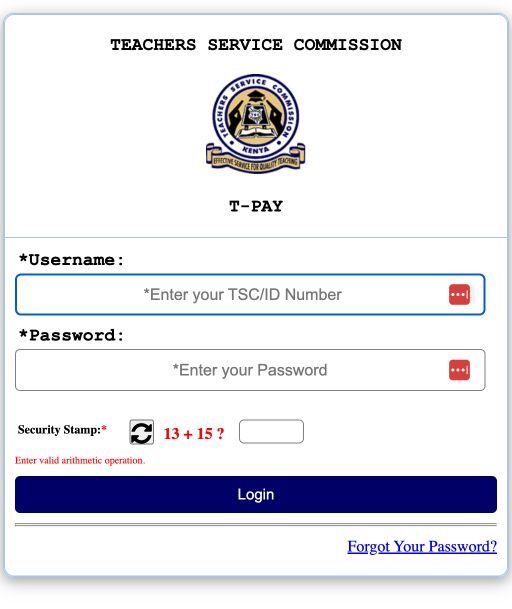
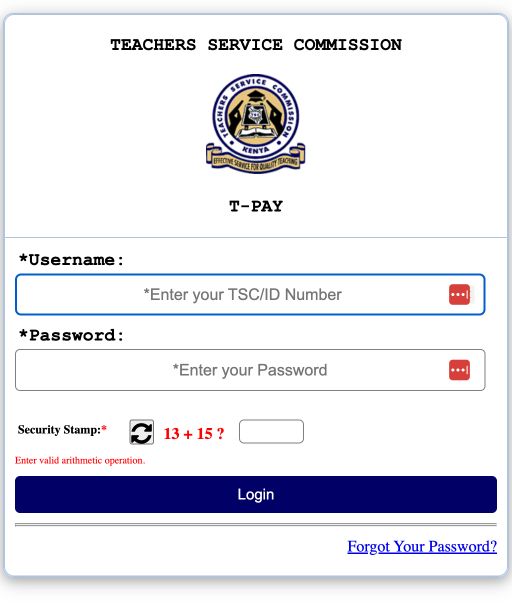
TSC Payslip Online T-PAY

How to Access Your TSC Payslip Online T-PAY

The Teachers Service Commission (TSC) in Kenya offers an online platform where registered teachers can access, view, and download their payslips with ease. This service has been designed to enhance convenience and efficiency for all TSC employees. This article will provide you with a step-by-step guide on how to access and manage your TSC online payslip account.

Step 1: Register for the TSC Online Payslip Portal TSC T-PAY  To begin, you will need to register on the TSC Online Payslip portal T-Pay. Visit the TSC website (https://www.tsc.go.ke/) and click on the “Online Payslips” link. This will direct you to the registration page where you will be required to enter your TSC number, ID number, phone number, and email address. Once you’ve submitted the necessary details, you will receive an activation code via email.

Step 2: Activate Your Account Access the email containing the activation code and click on the link provided to activate your account. You will then be redirected to the TSC Online Payslip portal where you will need to create a password for your account. Ensure that you create a strong password, containing a mix of uppercase letters, lowercase letters, numbers, and special characters.

Step 3: Log in to Your Account After creating your password, return to the TSC T-PAY Payslip portal homepage and enter your TSC number and password to log in. In case you forget your password, click on the “Forgot Password” link and follow the prompts to reset it.

Step 4: Access Your Payslip Upon logging in, you will be taken to your account dashboard where you can view your personal details, employment information, and other relevant data. To access your payslip, click on the “Payslips” tab and select the desired month and year. Your payslip will be displayed on the screen, providing a detailed breakdown of your earnings, deductions, and other pay-related information.

Upon successful login to your account, review the options listed on the left side of your screen for quick access to the following features:

  • Menu
  • Most Recent Payslip
  • Latest P9
  • My Transactions

To see your current month’s payslip, click on “Most Recent Payslip,” and your latest payslip will appear on the screen. You can capture a screenshot or simply press the “print” button to obtain a physical copy of your payslip.

To view payslips from other months, click on the respective month tabs located at the top of the page.

Step 5: Download and Print Your Payslip If you wish to download or print your payslip, simply click on the “Download” or “Print” buttons available on the payslip page. Your payslip will be downloaded in PDF format, which can be easily printed or saved on your device for future reference.


How to Access Your TSC Payslip Online T-PAY

A Comprehensive Guide to TSC Portals and Online Services

A Comprehensive Guide to TSC Portals and Online Services

TSC Portals and Online Services

The Teachers Service Commission (TSC) is an independent body in Kenya responsible for registering, employing, promoting, and managing the professional conduct of teachers. To facilitate this, TSC offers various online portals and services for teachers, making accessing essential information and services easier. This article provides a list and guides to all TSC online portals and services available.

  1. TSC Online Services Portal (https://www.tsc.go.ke/)

The official TSC website provides a wealth of information about the commission, its mandate, and functions. It also offers a gateway to various TSC online services. On this website, you can access news, updates, circulars, and other essential information related to the teaching profession in Kenya.

  1. TSC Teacher Management System (TMIS) Portal (https://tsconline.tsc.go.ke/)

The TMIS portal is a crucial platform for teachers, allowing them to access and manage their employment records, including personal details, promotions, and professional development. Teachers can also view and print their payslips, check their T-Pay status, and update their banking information.

  1. TSC Payslip Portal (https://payslip.tsc.go.ke/)

The TSC Payslip portal allows teachers to access their monthly payslips online. Teachers need to register for an account and log in with their TSC number and password to view and download their payslips.

4. TSC T-Pay Portal (https://tpay.tsc.go.ke/)

T-Pay is an online payment platform where teachers can access their salary statements, view and update their banking information, and access information about third-party deductions such as loans, insurance, and other financial services.

  1. TSC Wealth Declaration Portal (https://tsconline.tsc.go.ke/wealthdeclaration/)

This portal is dedicated to facilitating the wealth declaration process for teachers, as required by Kenyan law. Teachers can submit their wealth declaration forms online, making the process more convenient and efficient.

  1. TSC Recruitment Portal (https://hrmis.tsc.go.ke/)

The TSC Recruitment portal is the official platform for teacher recruitment in Kenya. Prospective teachers can apply for open positions and track the status of their applications online. This portal also provides information about available job opportunities, application requirements, and deadlines.

  1. TSC Professional Development (TPD) Portal (https://tpd.tsc.go.ke/)

The TPD portal is designed to provide teachers with access to professional development courses and resources. Teachers can enroll in various courses, track their progress, and earn certificates upon completion.

  1. TSC Email Activation Portal (https://registration.tsc.go.ke/)

The TSC Email Activation portal is for teachers who must activate their TSC-provided email accounts. These accounts are essential for accessing TSC services and receiving an official communication from the commission.

In conclusion, the Teachers Service Commission has made significant strides in providing efficient and easily accessible online services to teachers in Kenya. These portals are designed to improve the overall experience of teachers and streamline processes related to their profession. By utilizing these platforms, teachers can focus on their primary responsibility – educating the future generations of Kenya.

Frequently Asked Questions (FAQ) about Fuliza M-Pesa

fuliza mpesa

What is Fuliza M-Pesa?

Fuliza M-Pesa is an innovative service offered by Safaricom in collaboration with the Commercial Bank of Africa (CBA). It allows M-Pesa users to complete transactions even when they have insufficient funds in their M-Pesa accounts. Fuliza acts as an overdraft facility, providing a short-term loan to cover the deficit in the user’s account.

  1. How do I register for Fuliza ?

To register for Fuliza M-Pesa, you must be an M-Pesa subscriber with an active Safaricom line. Dial *234# on your phone, select “Fuliza,” and follow the prompts to opt-in. Once you’ve successfully registered, you’ll receive a confirmation message.

  1. Who is eligible for Fuliza M-Pesa?

To be eligible for Fuliza M-Pesa, you must:

  • Be at least 18 years old.
  • Have an active and registered M-Pesa account for a minimum of six months.
  • Have a good credit history with Safaricom.
  1. How much can I borrow from Fuliza?

Your Fuliza limit depends on your credit score, M-Pesa usage, and repayment history. The more you transact on M-Pesa and repay your Fuliza loans on time, the higher your limit will be. Fuliza M-Pesa limits range from KES 100 to KES 70,000.

  1. How do I check my Fuliza limit?

To check your Fuliza  limit, dial *234# on your phone, select “Fuliza ,” and choose “Check my limit.” Your current limit will be displayed on your screen.

  1. What are the charges associated with using Fuliza ?

Fuliza Charges

  1. A customer will incur a one-time 1% access fee, along with a daily maintenance fee that will be applied at midnight (00:00 hrs) the following day. Additionally, a 20% excise duty will be charged on the access fee. Therefore, if a customer utilizes Fuliza and repays the amount before 00:00 hrs the next day, they will only be required to pay the access fee and the maintenance fee on the outstanding balance, as outlined in the table below:
 FULIZA TARIFF
 Band Tariff 20% Excise Duty Total Charges
0 -100 KSh 0 KSh 0 KSh 0
101-500 KSh 2.5 KSh 0.5 KSh 3
501-1000 KSh 5 KSh 1 KSh 6
1001-1500 KSh 18 KSh 3.6 KSh 21.6
1501-2500 KSh 20 KSh 4 KSh 24
2501-70000 KSh 25 KSh 5 KSh 30


How to OPT in to FULIZA

  • Dial *334#
  • Select Loans and Savings>> Select FULIZA
  • OPT in

To find out your current outstanding balance, simply dial *234# and follow the prompts provided.

How to Repay My Fuliza Loan?

To repay your Fuliza, simply deposit funds into your M-PESA account, and the outstanding balance will be automatically deducted.

Safaricom Home Fiber Packages

Safaricom Home Fiber Packages

Safaricom Home Fiber Packages

Safaricom Home Fiber, Kenya’s leading home broadband solution, has transformed the nation’s digital landscape with its affordable and reliable high-speed internet services. Catering to diverse needs, Safaricom offers customizable plans suitable for casual browsing, streaming, and online gaming.

With extensive network coverage and a dedicated customer support team, the service keeps Kenyans connected in an increasingly digital world. By continually expanding its reach and investing in innovation, Safaricom Home Fiber plays a pivotal role in fostering greater connectivity, enabling access to digital resources, and promoting economic growth for a better-connected society.

List of Safaricom Home Fiber Packages

Package Speed Monthly Cost Validity Period
Bronze 5mbps 2900/- 30 Days
Bronze Plus 5mbps 3400/- 30 Days
Silver 10mbps 3999/- 30 Days
Silver Plus 10mbps 4999/- 30 Days
Gold 20mbps 5699/- 30 Days
Gold Plus 20mbps 6699/- 30 Days
Diamond 40mbps 11499/- 30 Days
Diamond Plus 40mbps 12499/- 30 Days

How to pay for Safaricom Home Fiber?


How can I get in touch with Safaricom Home Fiber’s customer support?

To contact the Safaricom Home Fiber Customer Support Team, follow these options:

For PrePay Customers:

For PostPay Customers:

For data-related inquiries, you can send an email to mobileoffice@safaricom.co.ke.


Safaricom Home Fiber

Safaricom Home Fiber

In today’s fast-paced world, high-speed internet connectivity has become an essential part of our daily lives. As Kenya’s leading telecommunications company, Safaricom has been at the forefront of revolutionizing the nation’s digital landscape with its innovative Home Fiber service. Offering affordable, reliable, and high-speed internet connections to households across the country, Safaricom Home Fiber has become the go-to solution for countless Kenyan families seeking seamless connectivity.

Safaricom Home Fiber provides a range of internet plans designed to cater to the diverse needs of its customers, from casual browsing to heavy usage for streaming and online gaming. These packages are competitively priced to ensure that users get the best value for their money. Furthermore, Safaricom Home Fiber customers enjoy access to a dedicated customer support team, ensuring prompt assistance and resolution of any issues that may arise.

The service’s growing popularity is largely attributed to the increased demand for stable and high-speed internet connections as more Kenyans embrace digital technology in various aspects of their lives. From remote work and online learning to entertainment streaming and social media usage, Safaricom Home Fiber has played a pivotal role in keeping Kenyans connected amidst the rapidly evolving digital landscape.

One of the most significant advantages of Safaricom Home Fiber is the flexibility it offers to its customers. Users can choose from various plans based on their specific needs and budgets, with the option to upgrade or downgrade at any time. This level of customization ensures that customers only pay for the service they require, making high-speed internet accessible to a wider range of Kenyans.

Safaricom’s extensive network coverage across the country also ensures that Home Fiber services are available to an ever-growing number of households. By continually expanding its coverage, Safaricom is actively contributing to the development of Kenya’s digital infrastructure and fostering greater connectivity in both urban and rural areas.

As the demand for reliable internet services continues to grow, Safaricom Home Fiber is well-positioned to remain a market leader in Kenya’s home broadband sector. The company’s commitment to innovation, quality, and customer satisfaction ensures that Kenyans can enjoy seamless internet connectivity as they navigate the digital world.

In conclusion, Home Fiber is playing a critical role in transforming Kenya’s digital landscape by providing affordable, high-speed internet connections to households across the country. As the service continues to expand and evolve, it is poised to significantly impact the lives of Kenyans, offering greater access to digital resources, promoting economic growth, and fostering a more connected society.

Bank of Baroda branches in Kenya

Bank of Baroda branches in Kenya

Bank of Baroda branches in Kenya

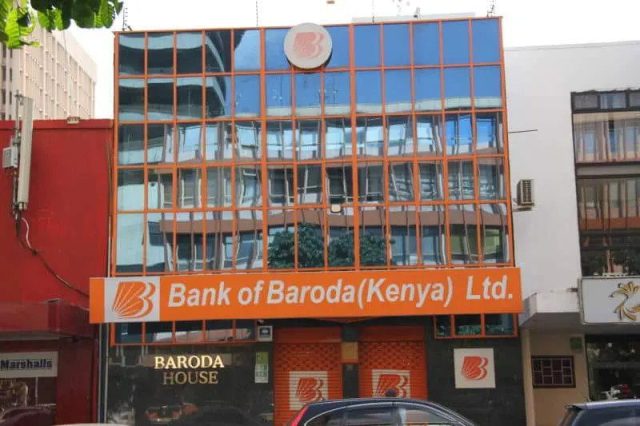
Bank of Baroda (Kenya) Limited, a subsidiary of the prominent Indian public sector bank, Bank of Baroda, has been operating in Kenya since 1953. As a vital part of the bank’s global footprint, it has successfully established itself as a dependable banking institution in the East African region, catering to the financial needs of individuals, small businesses, and corporations alike.

With a vision to offer customer-centric services, Bank of Baroda (Kenya) Limited provides a wide array of banking solutions, such as personal and business banking, trade finance, and forex services. It also offers specialized products tailored to the local market, including agriculture and microfinance loans.

In Kenya, the bank has a strong network of branches and ATMs, ensuring efficient and convenient banking services for its customers. It continually adopts the latest technologies, such as Internet banking and mobile banking platforms, to provide a seamless and user-friendly experience.

Bank of Baroda’s commitment to corporate social responsibility in Kenya is evident through its active participation in community development projects and initiatives that promote financial inclusion and environmental sustainability. The bank’s long-standing presence and continued growth in Kenya underscore its dedication to contributing to the economic progress and social welfare of the region.

List Bank of Baroda branches in Kenya

Bank of Baroda Digo Road Branch

Digo road branch,mombasa plot no. Xxv/61 kizingo p.o box 90260 80100 Mombasa

0412228607

Bank of Baroda Thika branch

Thika branch, Kenyatta Avenue p o box 794 01000 Thika

0672230048

Bank of Baroda Kisumu Branch

Kisumu branch, central square p o box 966 40100 Kisumu

0572020303

Bank of Baroda Sarit Centre Branch

Sarit Centre branch, lower ground floor Sarit Centre p o box 886 00606 Westlands, Nairobi

0203752590/91

Bank of Baroda Industrial Area Branch

Industrial area branch, enterprise road p o box 18269 00500 Nairobi

0206555945

Bank of Baroda Eldoret

Eldoret branch,charotar patel plaza, Moi street p o box 1517 30100 Eldoret

0532063204

Bank of Baroda Nakuru Branch

Nakuru branch,Vickers house, Kenyatta Avenue p o Box 12408 20100 Nakuru

0512211718

Bank of Baroda Nairobi Main Branch

Nairobi main office, Baroda House, 29 Koinange Street p o box 30033 00100 Nairobi

0202220575


Bank of Baroda Kakamega

Kakamega branch, Kenyatta avenue p o box 2873 Kakamega

05631766

Bank of Baroda Nyali Branch

Nyali branch, nyali road texas towers p o box 95450 80106 Mombasa

0414471103

Bank of Baroda Meru Branch

Meru branch, brown rock building, njuri ncheke street p o box 2762 60200 Meru

0642030623

Bank of Baroda Diamond plaza

Diamond Plaza branch, 1st-floor diamond plaza p o box 13709 00800 Nairobi

0203742257

Bank of Baroda Mombasa road

Mombasa Road branch,somak house, ground floor p o box 18948 00800 Nairobi

0206829118/9

Bank of Baroda  Muthithi Road

Muthithi Road branch, 1st-floor Baroda house p o box 30033 00100 Nairobi

02502248402


How many branches does the Bank of Baroda have in Kenya?

Currently, Bank of Baroda (Kenya) Limited maintains a strong presence across the nation with 14 strategically situated branches. These branches include six in Nairobi, and others in key locations such as Mombasa, Kisumu, Eldoret, Nakuru, Kakamega, Thika, Nyali, and Meru.

2024 Best Private Schools and Colleges in South Africa – And...

0
As a parent in South Africa, one of the most important decisions you will ever make is about where and how you will educate...